
How to Plan Your Workdays on a Cruise

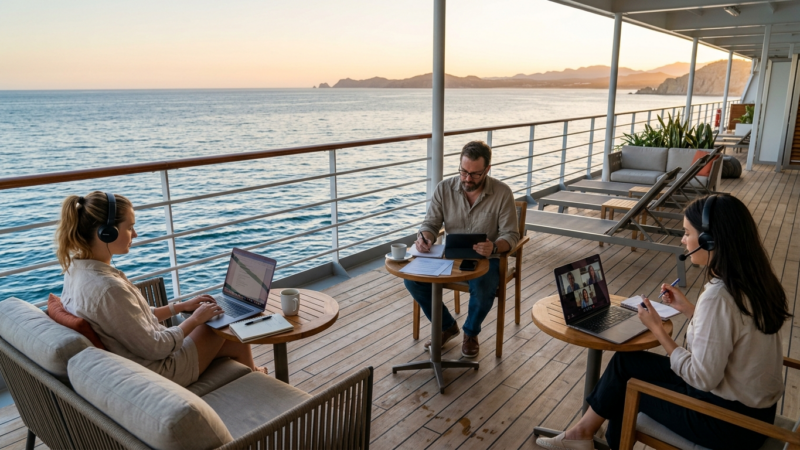
The first time I brought my laptop on a cruise, I had no plan. Just threw it in the bag “just in case.”
Predictable result: on sea days I felt guilty for not working. In port I felt guilty for not relaxing. I ended up doing neither one well.
The second time I treated it like a scheduling problem. Mapped out the itinerary by day, assigned tasks, aligned with my team ahead of time. The difference was significant.
Here’s the system I landed on.
💡 Quick Answer
The core principle: don’t try to “figure it out as you go.” Build a plan before you leave – which tasks go on which days, when you’re online, when you’re not. Port days are for calls and anything that needs bandwidth. Sea days are for offline work. This removes the stress and actually lets you enjoy the time you’re not working.
📋 Step 1: Analyze the Itinerary Before You Book
This starts earlier than most people think – at the itinerary selection stage.
Look at the schedule: how many port days, how many sea days, and which days of the week they fall on. This directly affects how well the cruise works with your job.
For example, if your standing meetings are Tuesdays and Thursdays, but the port days on a given itinerary are Wednesday and Friday – that’s an awkward fit. Better to find a route where port days line up with your heavier workdays.
When I’m picking a cruise for a work-travel format, I filter on a few things at once: trip length, number of port days, and which days of the week those ports fall on. CruiseDirect makes it easy to compare options side by side – helpful when you’re trying to match an itinerary to a work schedule rather than just picking whatever looks good.
📅 Step 2: Build a Day-by-Day Map
Take your specific itinerary and write out each day with its “type”:
| Day | Type | Internet | Work Potential |
|---|---|---|---|
| Day 1 (evening) | Departure from LA | US plan | Low – boarding, settling in |
| Day 2 | At sea | Ship Wi-Fi | Medium – offline tasks |
| Day 3 | Port (Ensenada) | Telcel | High – calls, cloud work |
| Day 4 | Port (Cabo) | Telcel | High – calls, cloud work |
| Day 5 | At sea | Ship Wi-Fi | Medium – offline tasks |
| Day 6 | At sea | Ship Wi-Fi | Low – buffer, light comms |
| Day 7 (morning) | Back in LA | US plan | Low – disembarkation |
Once this is in front of you, it’s immediately clear where your work windows are – and where you shouldn’t count on getting much done.
📝 Step 3: Match Tasks to Day Types
This is the most important part of the system.
Sea days – tasks that need little or no internet:
- Writing – reports, drafts, documentation
- Data analysis on files already downloaded
- Offline document editing
- Reading materials loaded in advance
- Planning and structuring upcoming work
Port days – tasks that need a solid connection:
- Zoom calls and meetings
- Syncing files and cloud storage
- Sending large files
- Real-time communication with quick turnaround
- Anything that requires a stable connection
Buffer day (last sea day before returning to LA):
- Final review of everything completed
- Prep for returning to normal schedule
- Minimal new tasks – close out what’s open, don’t start anything new
🕐 Step 4: Set Fixed Work Hours
This is what I skipped the first time – and it’s exactly what created the chaos.
Set specific work hours for each day. Not “I’ll work when I feel like it” – actual blocks: 7:00 AM to 11:00 AM, then done.
Why mornings work best:
First, if your team is on the East Coast, early ship time is normal working hours for them. A 9:00 AM EST standup is 6:00 or 7:00 AM on the ship. Early, but doable.
Second, by noon you’ve handled the important stuff. The rest of the day is fully free – without the background guilt.
Third, the ship is quiet in the morning. Fewer distractions.
Here’s what a concrete port day schedule looks like for me:
- 6:30 AM – up, coffee
- 7:00-7:30 AM – check email and Slack, set priorities
- 7:30-9:00 AM – main work block (offline or ship Wi-Fi while most people are still asleep)
- 9:00-9:30 AM – standup with the team (Telcel is live once we’re in port)
- 9:30-11:30 AM – continued work, calls if needed
- 12:00 PM – laptop closed, heading ashore
💬 Step 5: Align With Your Team Before You Leave
This step is underrated. Most problems with working from a cruise aren’t technical. They’re about expectations.
What’s worth communicating before departure:
- Your cruise dates and itinerary
- Which days you’ll be fully available (port days) vs. limited (sea days)
- What times work best to reach you
- A backup contact method if the main one fails (SMS instead of Slack, for example)
This isn’t “I’m going on vacation, don’t bother me.” It’s normal working communication. Most teams respond well when you give them specifics rather than a vague “I’ll be traveling.”
⚠️ When the Plan Doesn’t Hold
The system is solid, but things happen. Here’s what comes up most often:
A call gets moved to a sea day. It happens. Ship Wi-Fi can handle a single call – pick a spot with better signal (upper decks, center of the ship) and give your team a heads-up that the connection might not be perfect.
You stay in port longer than planned. Good problem to have. Telcel works as long as you’re ashore – you can work a little longer if needed. Just get back to the ship on time.
An urgent task lands on a sea day. Be honest about how urgent it actually is. Most “urgent” things can wait 4-6 hours. If they genuinely can’t – ship Wi-Fi is sufficient for sending a document or an email.
You can’t focus on the ship. This happens too. A change of environment cuts both ways – sometimes it helps, sometimes it doesn’t. If it’s not working, don’t force it. Shift the task to a port day.
🎯 What Not to Do
A few mistakes I made myself or watched others make:
Don’t bring tasks that require you to be constantly online. That’s incompatible with this format. Better to push that period of work before or after the cruise.
Don’t plan to work all day. Even if you technically could. The point gets lost, and neither the work nor the rest ends up being good.
Don’t leave the planning for later. “I’ll figure it out when I get there” is a recipe for stress. Five minutes before departure to map tasks to days saves hours of frustration at sea.
Don’t hide from your team that you’re on a cruise. It creates unrealistic expectations on both sides.
💭 What I Took Away From This
A cruise is not the ideal place to work. But it’s a perfectly workable environment for certain tasks if you set it up right.
The mental shift that made the biggest difference for me: I stopped thinking of the cruise as something that “gets in the way of work.” I started thinking of it as a different context that requires adapting the workflow.
That’s what people with flexible work arrangements do constantly – adapt the process to the environment. A cruise is no different from a work trip or remote work from another city.
If you’re thinking about trying this format for the first time, start with a shorter itinerary. Four or five days, a couple of port stops. It gives you enough data to figure out whether this works for you – without a big commitment upfront.
Have you tried planning work around travel? What worked, what didn’t? Drop a comment – especially interested in unconventional setups.
This series:
- Part 1: Can You Actually Work From a Cruise? Running the Variables
- Part 2: Internet, Gear, and Backups – the Technical Side
- Part 3: How to Plan Your Workdays Around the Cruise Schedule – you’re here
Last updated: April 2026 Disclosure: The CruiseDirect link is an affiliate link. It doesn’t affect my takes or recommendations.



Comments are closed.