


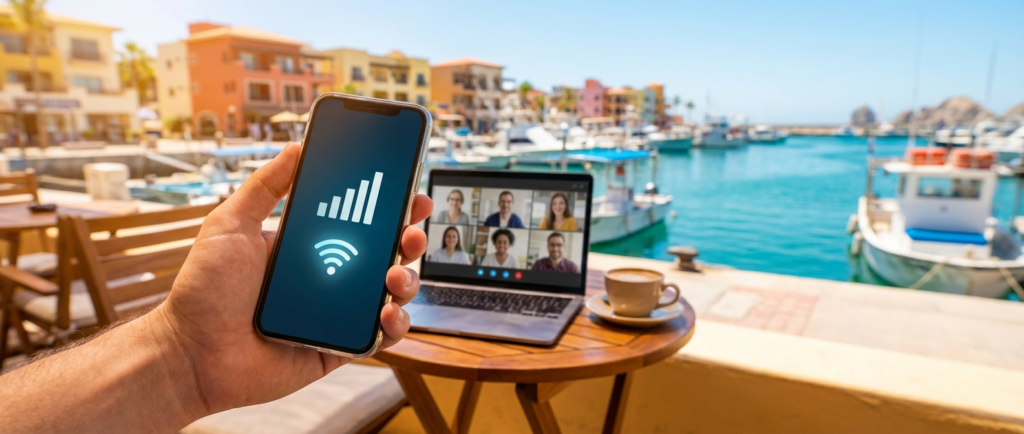
One of the most common questions I get: “Is the internet on a cruise ship actually good enough for work?”
Honest answer – it depends. But not on luck. It depends on how you set things up.
I broke down the three main internet options for an LA-to-Mexico cruise, tested each one in practice, and built a system that works for me. No romanticizing – just numbers and specifics.
💡 Quick Answer
For remote work on a cruise, the optimal setup is: Telcel ($12-17/month) in Mexican ports for heavy tasks and calls, ship Wi-Fi ($150-200 for the cruise) for sea days and light communication. A US carrier hotspot works in port as a backup but is unreliable as a primary option. Details below.
🌐 Three Options – An Honest Breakdown
Option 1: Ship Wi-Fi
This is your only option at sea. So if you’re planning to work on the ship at all, you need it.
Cost: usually $150-200 for a week-long cruise, depending on the cruise line and package. Sometimes cheaper if you buy in advance through the app.
Speed: solid enough for messaging, email, and text-based tools. Most modern ships have Starlink now, which is noticeably better than what ship internet used to be. Zoom works, but stability depends on network load and where you are on the ship.
One thing worth knowing: on port days, when half the passengers go ashore, the ship’s internet actually runs better. Less load on the network. It sounds counterintuitive, but it’s consistent.
My take: worth buying, but don’t count on it as your main work tool. Think of it as a reliable baseline for light tasks and staying in touch.
Option 2: Telcel (Mexican SIM Card)
This is the best option for port days. I covered it in detail in a separate article – here’s what matters for work specifically.
Cost: the Amigo Sin Límite 200 plan runs about 200 pesos, which is roughly $12-17 depending on the exchange rate. 30 days, unlimited data.
Speed: 4G, sometimes 5G in Cabo San Lucas. In my experience, consistently faster and more stable than ship Wi-Fi.
Where to buy: in Mexican ports – at the airport, OXXO convenience stores, or Telcel retail locations. Easy to find in Ensenada and Cabo.
For work, this means port days are your prime time – Zoom calls, large file uploads, anything cloud-heavy. That’s when you have Telcel and a solid signal.
One limitation: Mexico only. It doesn’t work at sea. It doesn’t work back in LA (well, technically it might, but you don’t need it there).
Option 3: US Carrier Hotspot
T-Mobile and some other carriers include Mexico in their plans. In theory, convenient – one SIM, everything automatic.
In practice, roaming speeds in Mexican ports tend to be throttled. In my case it was 2G or 3G, not 4G. Fine for messaging. Not great for Zoom.
If you’re on T-Mobile and don’t want to deal with a Telcel SIM, this is a workable backup. Just don’t rely on it as your primary tool for anything that needs real bandwidth.
📱 Gear: What to Actually Bring
I’ve tried a few different setups. Here’s what I travel with now:
Core gear:
- Laptop with solid battery life (8+ hours)
- Phone with Telcel SIM – your main hotspot in port
- Noise-canceling headphones – for calls from anywhere on the ship
Nice to have:
- Portable power bank – the ship has outlets, but not always where you need them
- USB hub if you need extra ports
- USB tethering cable to connect your phone directly to your laptop – sometimes more stable than Wi-Fi hotspot
What to skip:
- Satellite devices – the ship already has Starlink, you can’t plug your own terminal into a cabin
- A travel router – overkill for this kind of setup
🔌 Connectivity Plan by Day
This is the most practical part. Here’s how I actually distribute internet resources across a typical cruise:
Departure day (LA, evening):
- Your US plan works normally
- Last chance to sync everything – cloud files, downloads, messages
- Download anything you might need offline before you leave port
Sea days:
- Ship Wi-Fi is your only real option
- Don’t schedule anything heavy
- Email, Slack, documents – yes. Zoom, large uploads – only if necessary
Port days (Mexico):
- Telcel is your primary connection
- Best time for calls and anything that needs bandwidth
- Option to find a cafe onshore with additional Wi-Fi as a backup layer
Return day (LA, morning):
- US plan kicks back in
- Good time to catch up on anything that piled up
🛡️ Backups: What to Do When Things Go Wrong
This part gets skipped a lot. Don’t skip it.
Scenario 1: Ship Wi-Fi is down or too slow
Solution: offline mode. Set this up before you leave – download documents, spreadsheets, reference materials. Google Docs, Notion, and most work tools support offline mode if you enable it ahead of time.
Scenario 2: Telcel won’t activate or signal is weak in a specific port
Solution: US carrier hotspot as a fallback. Slow, but enough for messaging. Ship Wi-Fi is still there too.
Scenario 3: Important call, internet fails
Solution: communicate ahead of time. One message to your team before departure: “If I don’t show up for the call, it means connectivity dropped – we’ll move it to X.” Takes two minutes, removes the stress entirely.
Scenario 4: Deadline hits on a sea day
Solution: planning (more on that in Part 3). But if it happens anyway – ship Wi-Fi is fine for sending a document or an email. That’s well within what it can handle.
📍 Best Spots to Work on the Ship
Location matters more than you’d think – both for signal quality and for focus.
Good:
- Library or quiet lounge (most ships have one) – minimal distractions
- Your cabin – works well if you can focus in a small space
- Buffet or dining area between meals – quiet, outlets available
Okay:
- Open deck during off-peak hours – fine for low-stakes tasks, but sun glare on the screen is real
Avoid for work:
- Pool deck and entertainment areas – too loud
- Main dining room during meal service – too much foot traffic
One practical note: ship Wi-Fi signal tends to be stronger on upper decks and toward the center of the ship. Cabins on lower levels, especially toward the bow or stern, can get weaker coverage.
💭 What I Took Away From This
Internet on a cruise isn’t a problem to solve. It’s a variable to plan around.
Once I stopped looking for the “perfect connection” and started building my workflow around what’s actually available – ship Wi-Fi at sea, Telcel in port, offline tasks as a buffer – everything clicked.
It’s not perfect. But it’s more than enough if you match the right tasks to the right days.
How to actually do that is what Part 3 of this series covers.
What’s your internet setup been like on cruises? Or are you still in the planning stage? Drop a comment – especially if you’ve had a different experience with ship Wi-Fi on specific cruise lines.
This series:
- Part 1: Can You Actually Work From a Cruise? Running the Variables
- Part 2: Internet, Gear, and Backups – the Technical Side – you’re here
- Part 3: How to Plan Your Workdays Around the Cruise Schedule
Last updated: April 2026 Disclosure: Some links on this site are affiliate links. It doesn’t affect my takes or recommendations.